
Your IP Address Information
Your IP Address
0.0.0.0
Country
N/A
Location:
N/A
Code:
N/A
Time zone:
N/A
ISP
N/A
ASN:
-
Organization:
N/A
Browser
Unknown
Platform:
Unknown Platform
OS:
Unknown
This product includes GeoLite2 Data created by MaxMind, available from https://www.maxmind.com

HTTP/HTTPS/SOCKS5 protocols
20 concurrent sessions
5 US IPs with 5GB of traffic
Valid for 1 month
Exceptional performance & speed
Best for:
Testing and small tasks.
FREE of charge

175M+ IPs in 195 countries
Continent, country, city, state, ZIP code, ASN, and coordinate-level targeting
The fastest 0.41s response time in the market
Automatic scaling without sacrificing quality
Best for:
Web scraping, review monitoring, ad verification, travel fare aggregation, cybersecurity, market research, brand protection, email protection, and more.
Starting from $8/GB
Simple integration
All Oxylabs proxies integrate seamlessly with third-party software.
Residential Proxies:
Datacenter Proxies:







import requests

username = "customer-USER"
password = "PASS"
proxy = "pr.oxylabs.io:7777"

proxies = {
  'http': f'http://{username}:{password}@{proxy}',
  'https': f'http://{username}:{password}@{proxy}'
}

response = requests.request(
    'GET',
    'https://ip.oxylabs.io/location',
    proxies=proxies,
)

print(response.text)
Get Oxy Proxy Extension for free
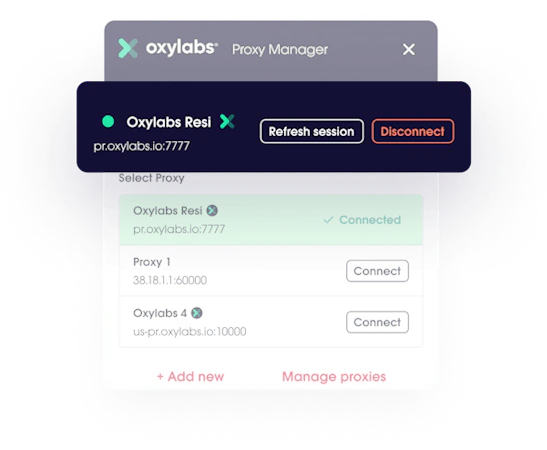
Oxylabs Proxy Extension is one of the many ways to use Oxylabs proxies. With it, you can quickly enable proxies for Google Chrome with a single click. The extension allows you to:
Add and switch between multiple proxies.
Maintain the same IP address for multiple requests.
Switch between proxy types and choose between SOCKS, HTTPS, and HTTP proxies.
Add an unlimited number of proxies.
Use multiple proxy server providers.
Frequently asked questions
How do I find my proxy IP address?
To find a proxy server address, when using a web proxy, you can visit ip.oxylabs.io or this very web page to see your current IP address, including if it's coming from a proxy. Of course, you can always search for "what is my proxy IP" with a search engine.
If you're using a system-wide proxy, such as VPN, on your computer, you can do the following with a command line tool:
Windows:
netsh winhttp show proxy
Mac/Linux:
curl ifconfig.me
You can change your IP address:
Turn on and off your router.
Change your network connection (switch between Wi-Fi and cellular data).
Change your computer’s proxy settings.
Use a proxy or VPN.
To confirm changes, test your proxy connection.