
Instinct Integration With Oxylabs Web API
Instinct is an AI-based personal assistant that you can text directly from iMessage or WhatsApp, instead of downloading a separate app. It can learn from your responses and complete daily tasks and workflows you set up by simply asking.
In this tutorial, we’ll show you how to use the Oxylabs Web API with Instinct over WhatsApp and set up a daily workflow that reports product prices.
Prerequisites
Oxylabs Web API key
Instinct access though WhatsApp/iMessage
Create an Oxylabs account and a Web API instance. Within the dashboard, open up the product instance and copy your API key.
If you're new to Instinct, visit the site and click Text Instinct to sign in. Scan the QR code, and once it’s set up, you should see an Instinct conversation in WhatsApp.
Instinct is currently free, but it requires an invite or waitlist approval, so access may be limited.
1. Describe your workflow
In the Instinct chat, describe what you want to set up in plain language. Name the data source, the target, how many results you need, the schedule, and a credit budget. For example:
I want to use Oxylabs Web API to run a daily workflow that reports the prices for laptops in Germany, I want the top 3 results. I want to use up to 1$ of credits a month. The workflow should run at 8 in the morning.With prompt like this, Instinct confirms the parameters it understood before building anything: a daily run at 8:00, results for Germany, the top 3 listings, and a $1/month cap.
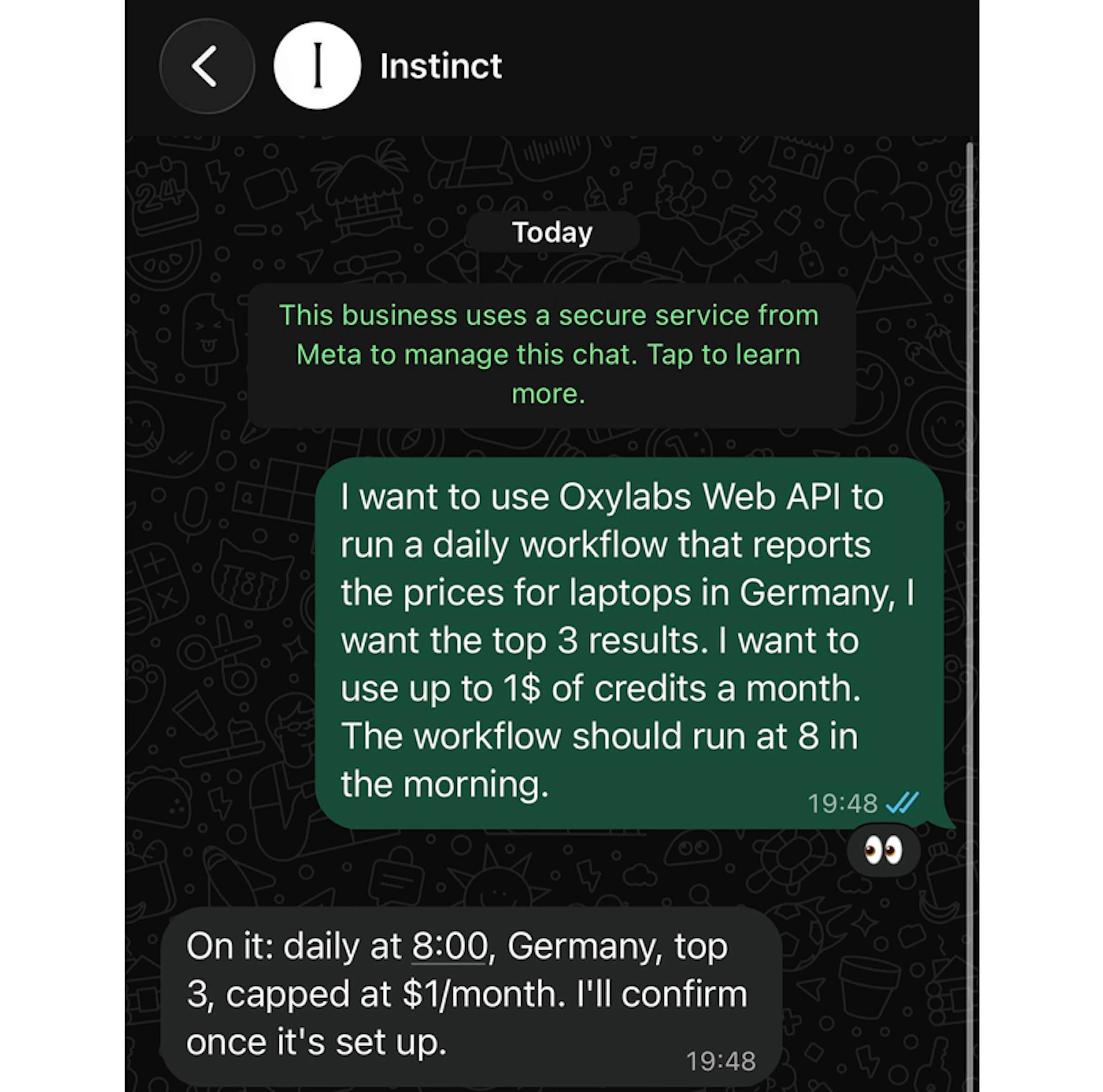
Check the task summary carefully. If something is off, correct it in your next message before moving on.
2. Add your Oxylabs Web API key
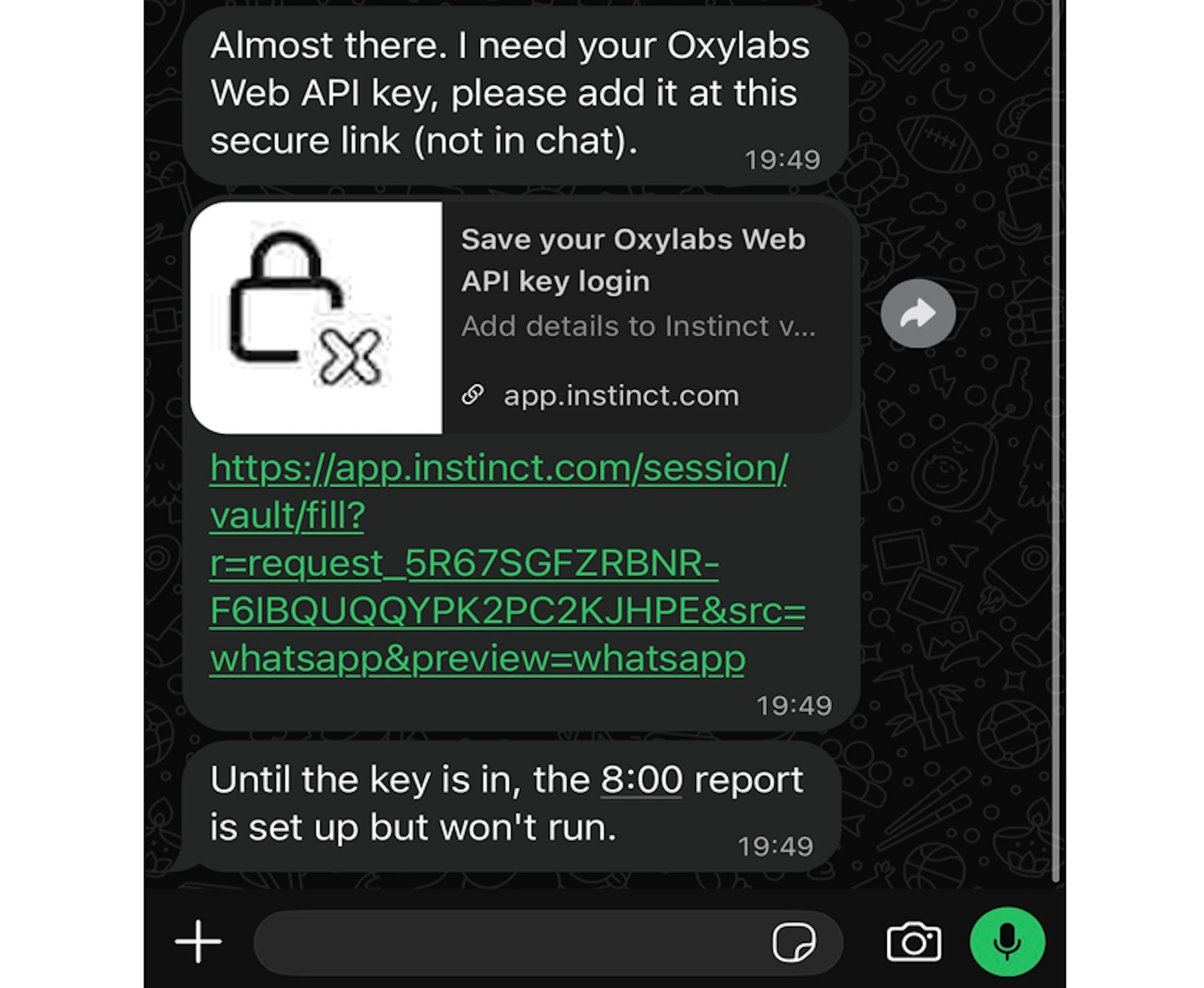
Note: Do not paste your API key into the chat itself – Instinct asks for it through a secure vault link instead.
Once workflow is confirmed, Instinct should reply that it needs your Oxylabs Web API key and send a secure link to app.instinct.com – a secure vault for sensitive credentials where you can enter the API key.
It also notes that the 8:00 report is set up but won't run until the setup is complete.
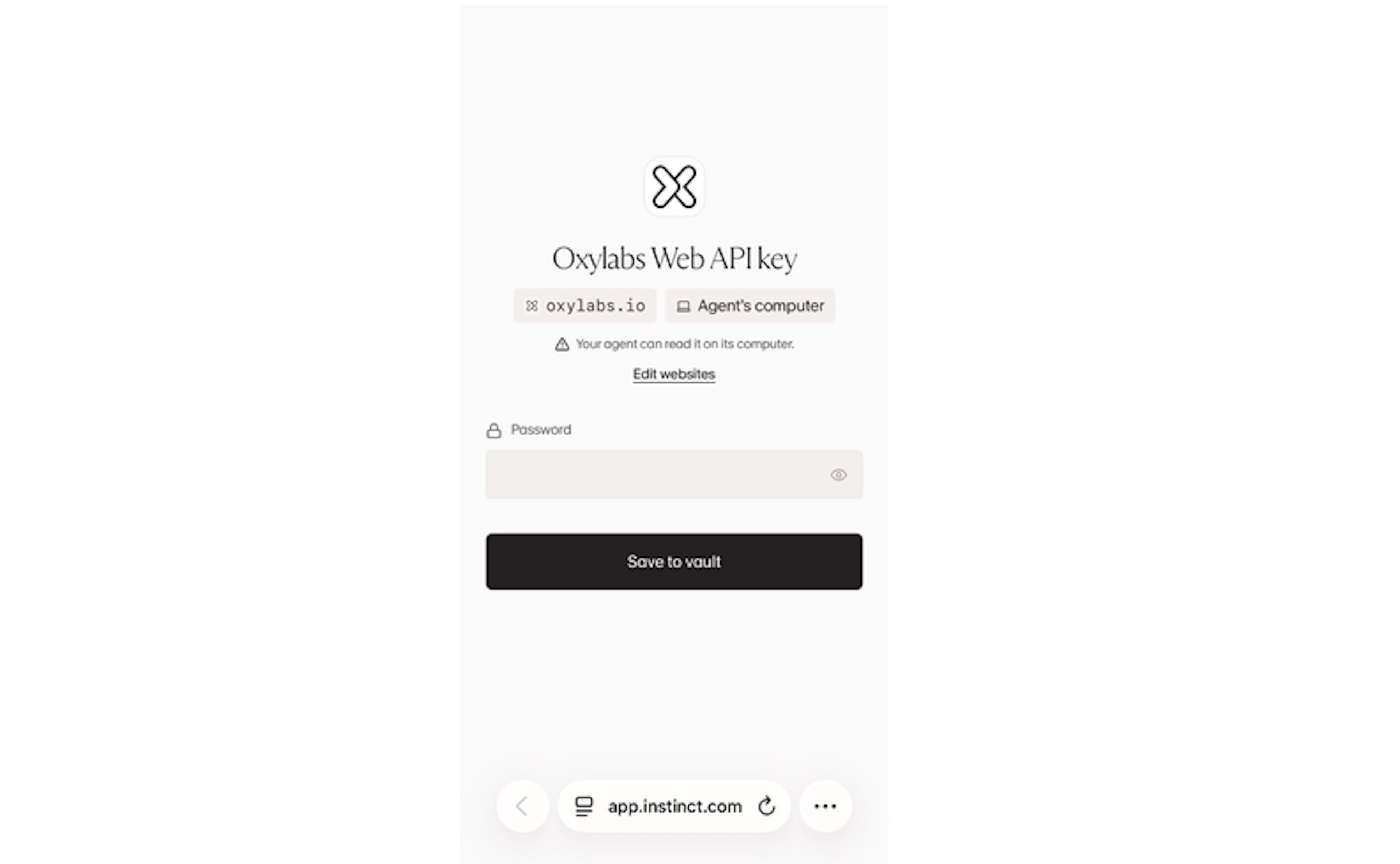
Tap the link to open the Instinct vault page. It's labeled "Oxylabs Web API key" and scoped to oxylabs.io on the agent's computer, which means your Instinct agent can read the key only on its own machine to make API calls. Paste your API key into the Password field and click Save to vault.
3. Run a test
Before waiting for the first scheduled run, ask Instinct to try the workflow right away, like this:
Run a test run and show me the resultsInstinct calls Oxylabs Web API, collects the top 3 search results for laptop prices in Germany, and returns one listing from each source along with links to the pages it used.
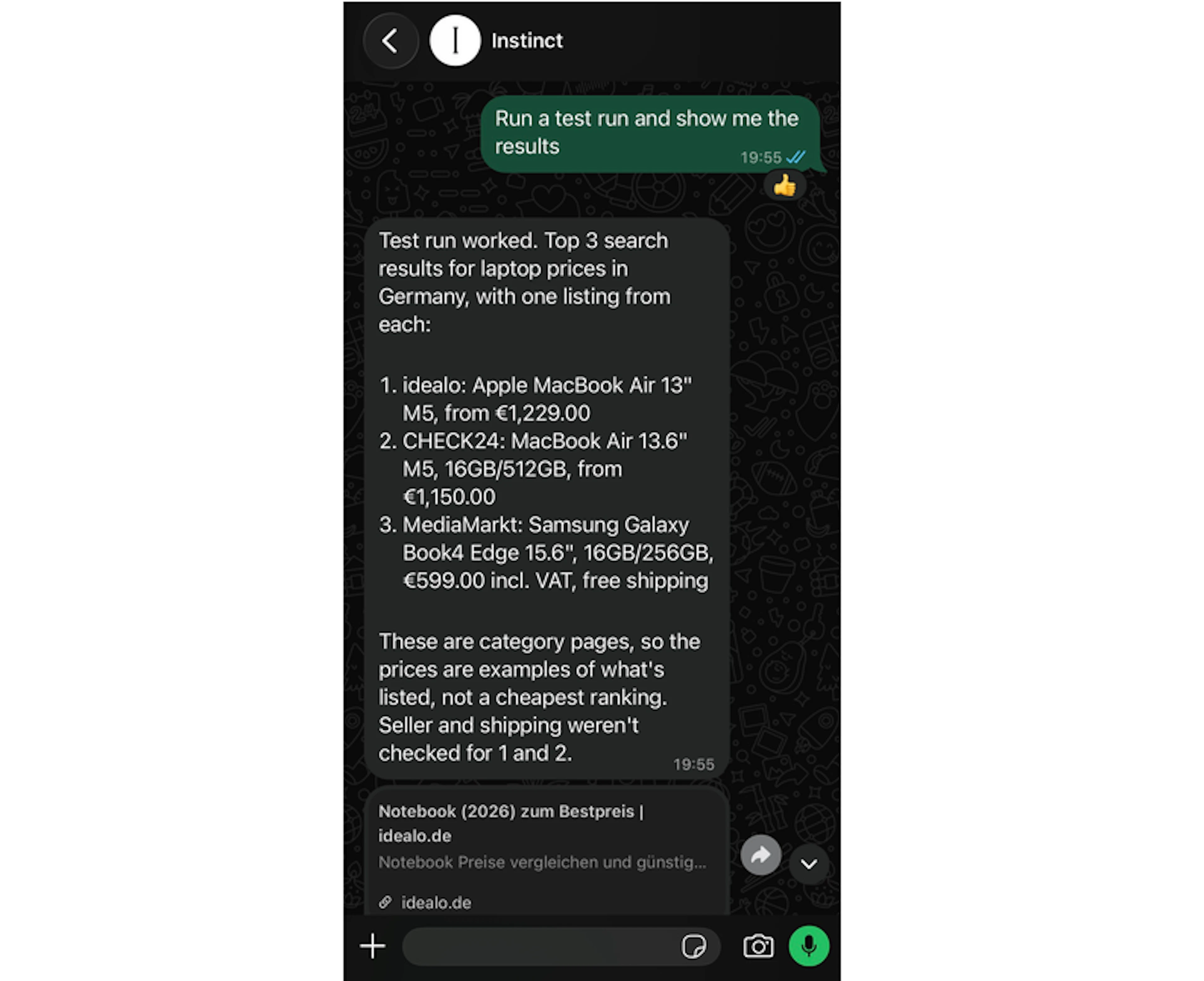
Instinct completes test API calls to the /search and /scrape endpoints and returns the summarized results.
It also adds additional notes about the completed task. For more precise results, you can ask for something specific (e.g. the lowest price for one laptop model) and refine your workflow at any point of the conversation with the Instinct agent.
4. Let the workflow run
With the key saved and the test passed, the workflow is set up and ready. With our demo example, every day at 8:00 Instinct runs the search through Oxylabs Web API and sends the report to the same WhatsApp chat. To adjust your workflow, message Instinct directly in the chat.
To track the Web API usage, visit the Oxylabs dashboard, open your Web API product instance and select Usage tab for detailed statistics or Spending tab for credit consumption.
Wrap up
With Instinct and Oxylabs, you can turn a single chat message into a scheduled web data workflow, with no code, connectors, or visual builders to configure. Beyond product prices, you could monitor competitor pricing, track product availability, follow news on a topic, or get a morning digest of search results for your brand. Feel free to contact us via live chat on our homepage or email if you have any questions about Oxylabs products.
Please be aware that this is a third-party tool not owned or controlled by Oxylabs. Each third-party provider is responsible for its own software and services. Consequently, Oxylabs will have no liability or responsibility to you regarding those services. Please carefully review the third party's policies and practices and/or conduct due diligence before accessing or using third-party services.
Useful resources
How to Navigate AI, Legal, and Web Scraping: Asking a Professional
In this interview, we sit down with a legal professional to shed light on the ever-changing legal framework surrounding web scraping.
Web Scraping with Meta Muse and Oxylabs Web API
Lean how to integrate Meta Muse AI agent with Oxylabs Web API and build a scheduled no-code agentic web scraping workflow.

Get the latest news from data gathering world