
Wajo AI Integration With Oxylabs Web API
Wajo AI agents handle real tasks from start to finish, the way a person would, learning and improving as they go. Fo – their flagship agent – works as an assistant with its own email address and phone number, writing emails, calling people, coordinating on Slack, managing your calendar, and using any other tool you connect via MCP server.
This guide shows you how to connect Wajo to the Oxylabs Web API via MCP for reliable live web data collection at any scale, localized to any country, and handling any web access challenges with ease along the way.
Prerequisites
Make sure you have the following before starting:
New to Oxylabs? Follow this quick start guide to easily set up your Web API instance.
1. Add Oxylabs MCP
Go to your profile ➔ Connections ➔ Add MCP.
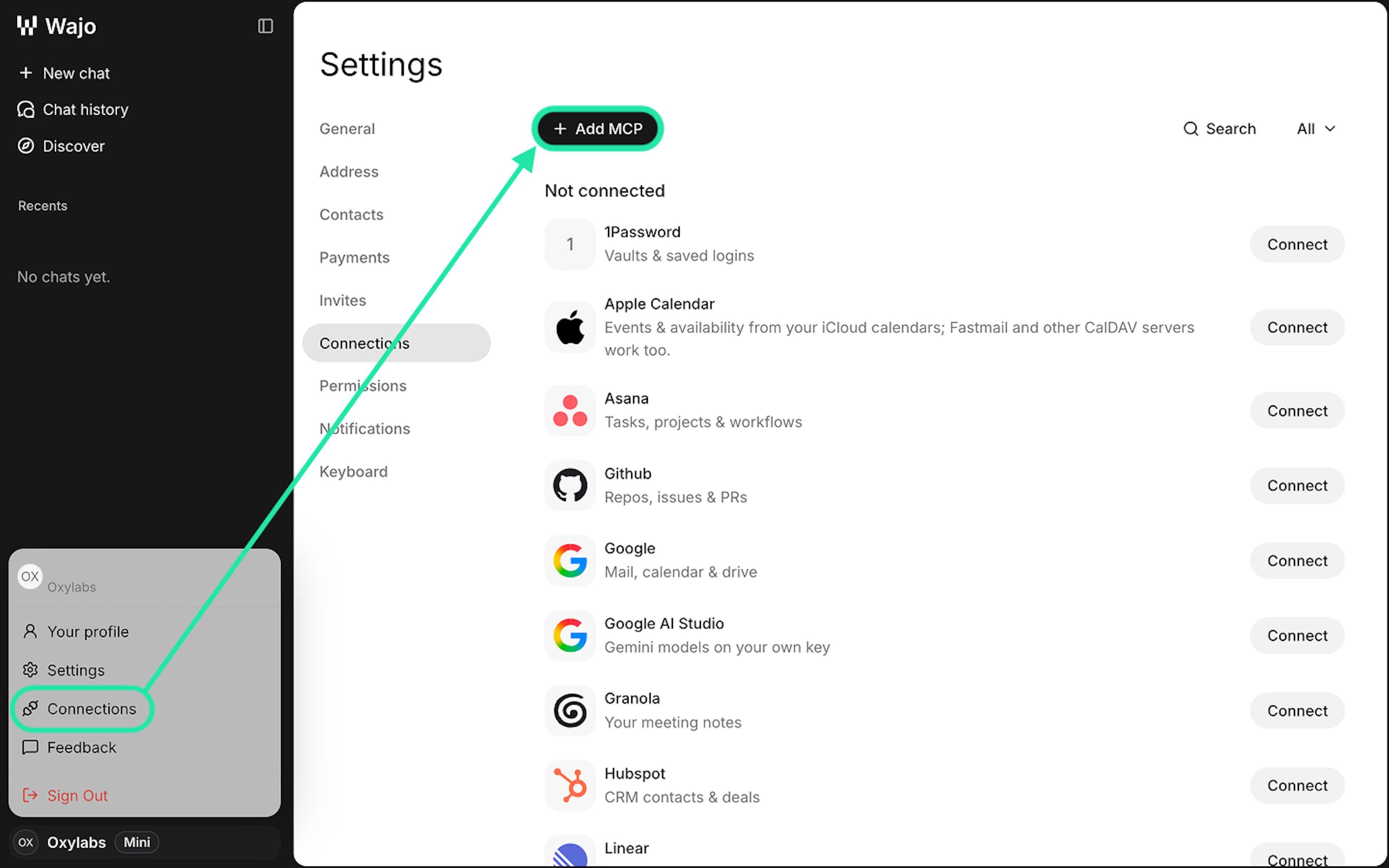
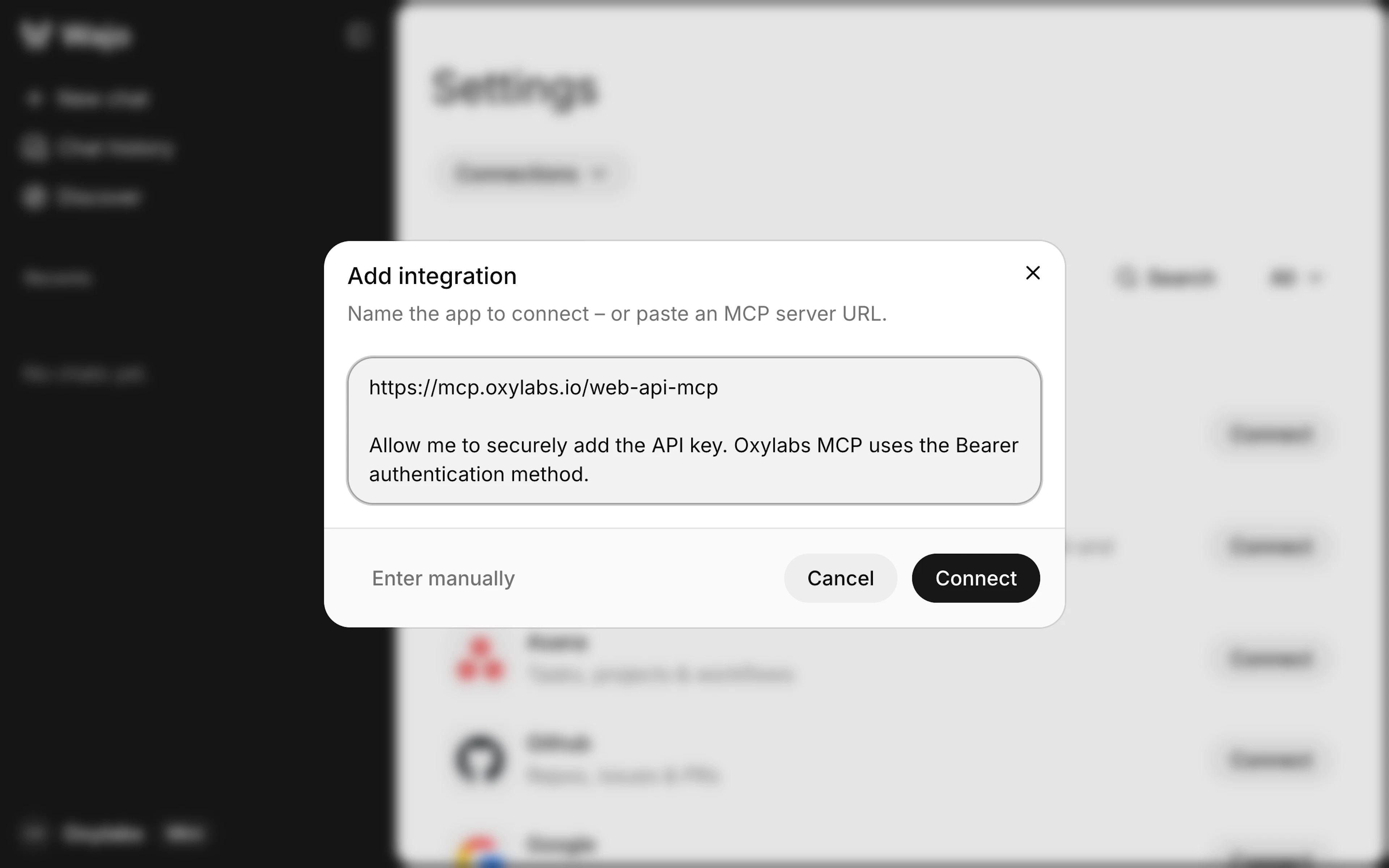
In the integration window, paste the following prompt and click Connect:
https://mcp.oxylabs.io/web-api-mcp

Allow me to securely add the API key. Oxylabs MCP uses the Bearer authentication method.
Visit the Oxylabs MCP documentation and the GitHub repository for more details on using the server.
Note: You can also ask Wajo directly via chat to set up the integration.
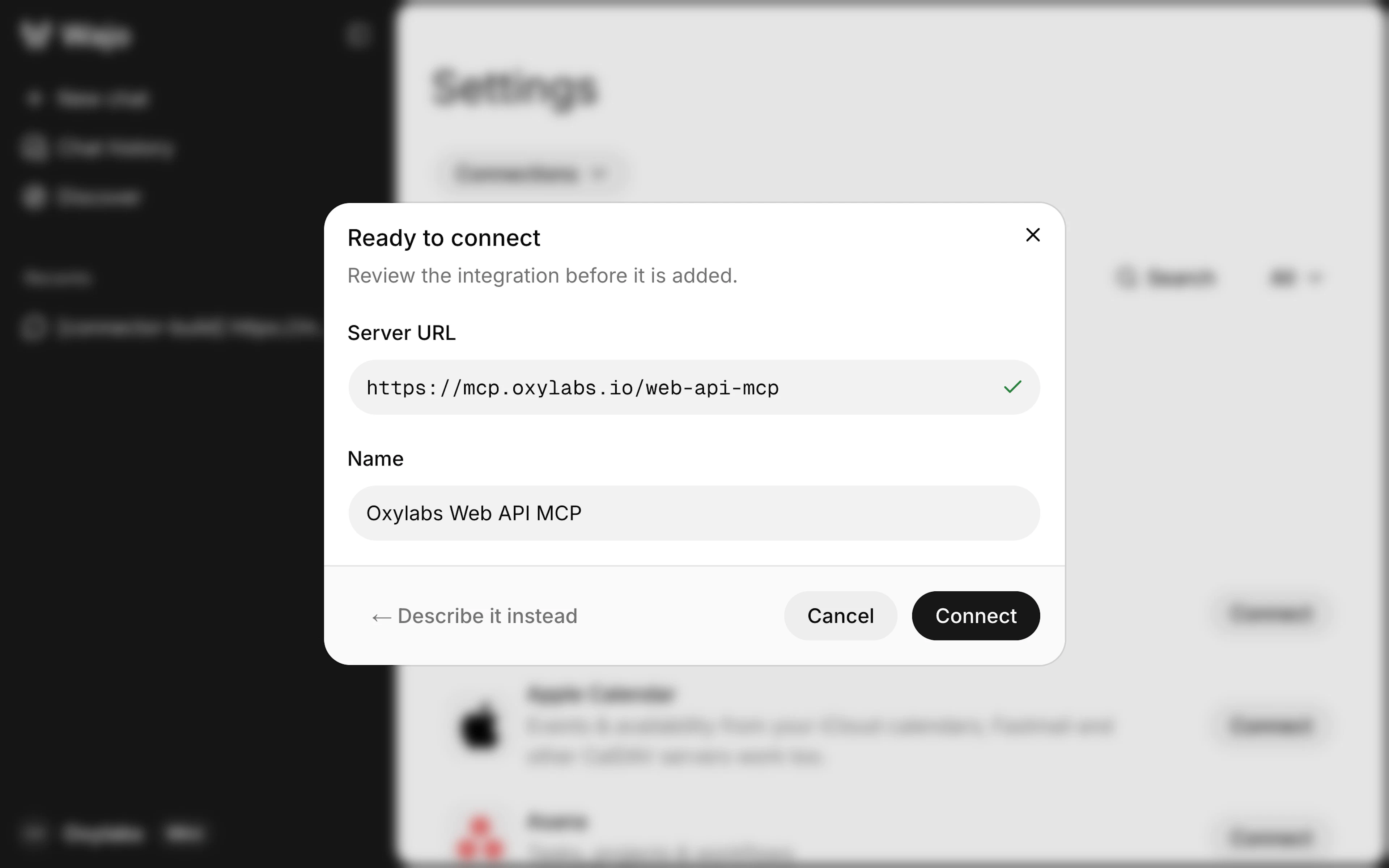
Wait for the setup to finish, confirm the integration details are correct, and click Connect again.
2. Add your API key
In the next window, enter your Web API key and click Connect. Wajo will encrypt the key and use it to make API calls on your behalf. Copy your API key from the Oxylabs dashboard.
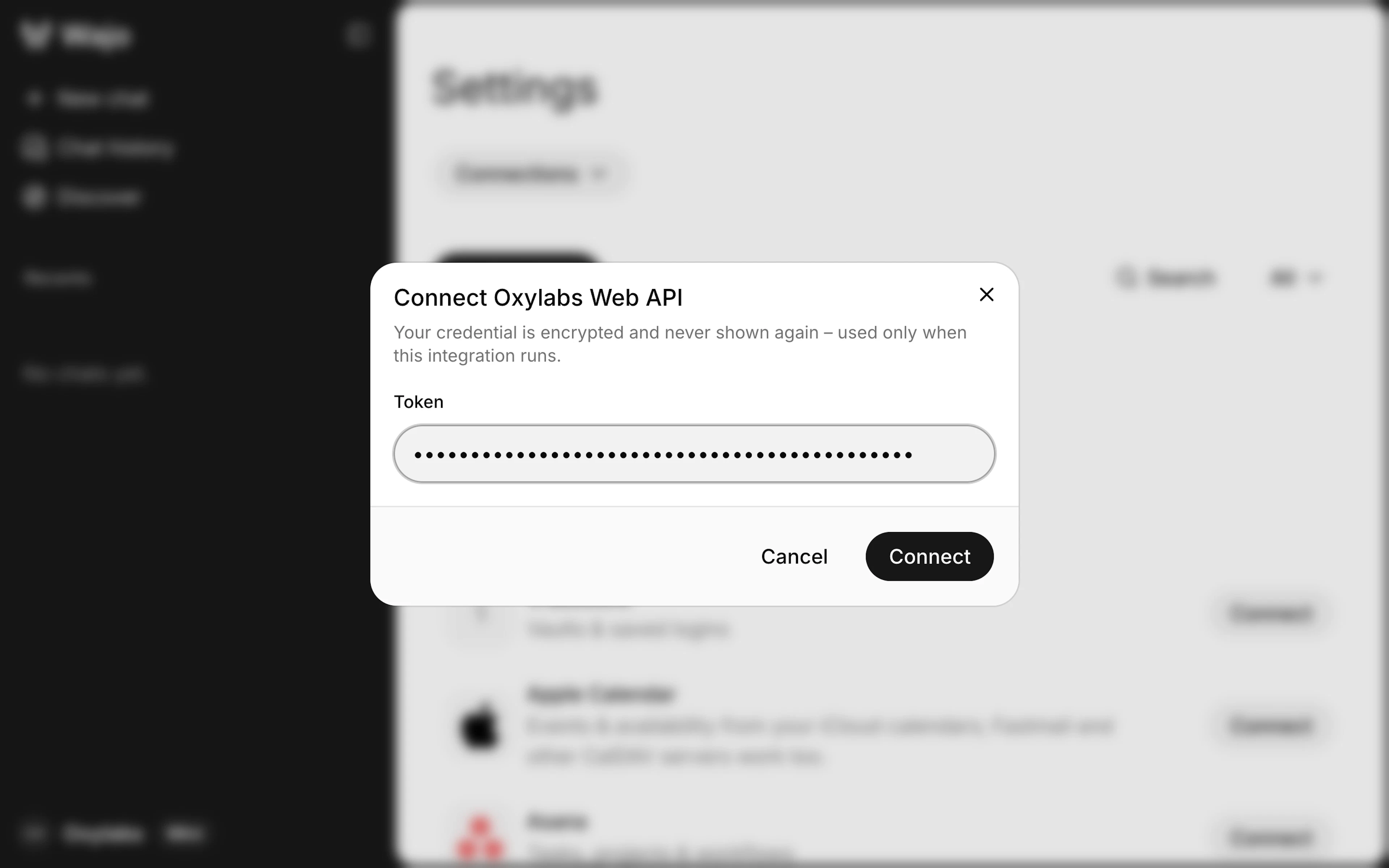
Note: If this modal window doesn't appear, delete the MCP server setup and run the prompt again.
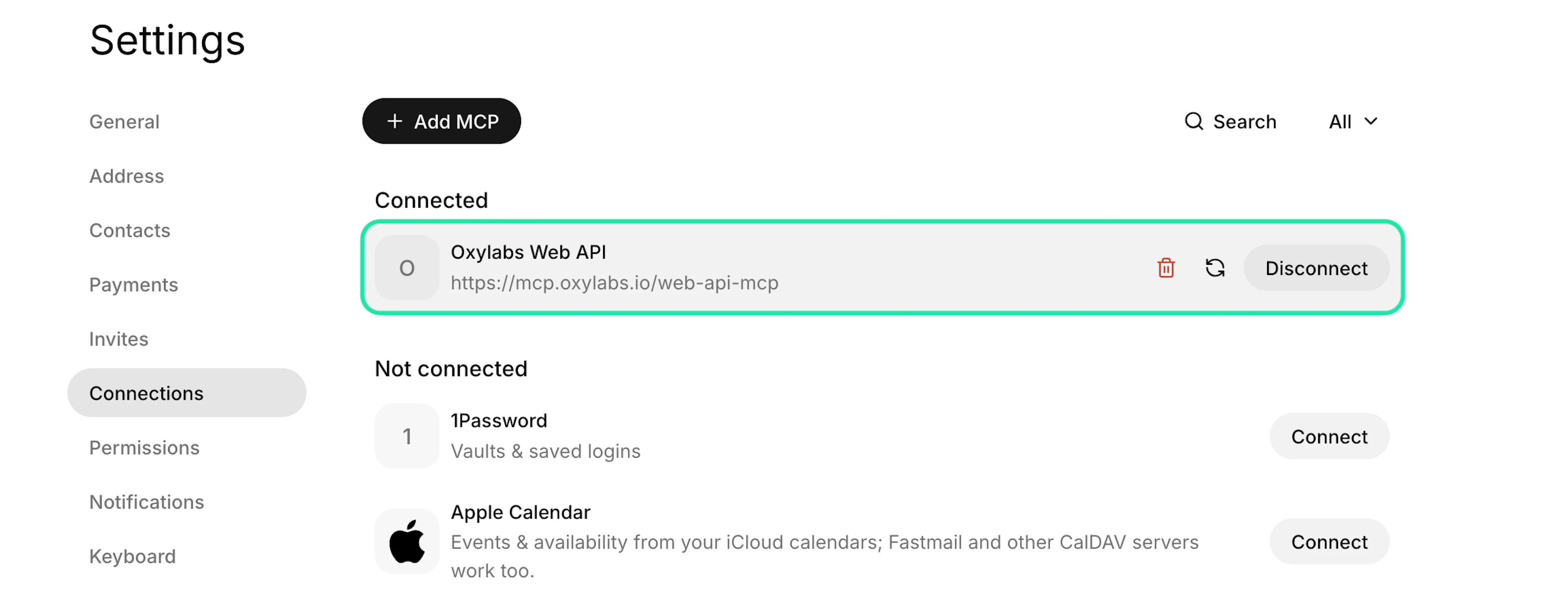
The Oxylabs Web API MCP card should now appear in the Connected tools section.
3. Test the connection
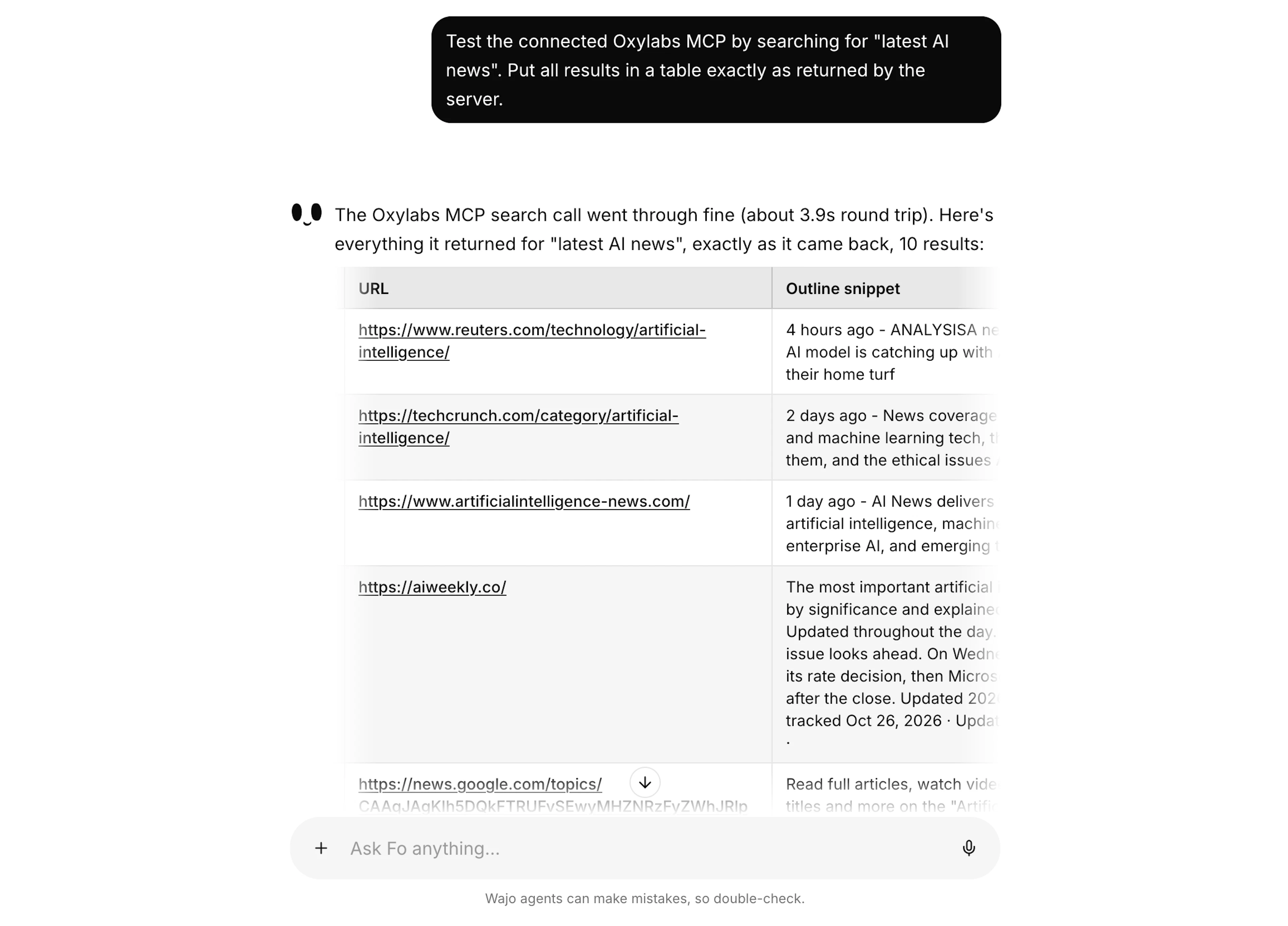
Let's have Wajo’s Fo agent run a quick search through the Oxylabs MCP to confirm the connection works and the API key is accepted.
Open a New chat and paste the following prompt:
Test the connected Oxylabs MCP by searching for "latest AI news". Put all results in a table exactly as returned by the server.Fo should respond with a similar message:
Troubleshooting
Confirm the server URL is https://mcp.oxylabs.io/web-api-mcp.
If unauthorized, copy the API key from the dashboard and paste it exactly, with no extra spaces.
If rate-limited, wait a minute and retry, or ask Fo to add a delay between requests.
Confirm your Web API instance is active and has available quota.
Remove and re-add the MCP connection.
4. Use Oxylabs MCP in your workflows
With the MCP server connected, you can put it to work on real workflows. Oxylabs collects the public web data, and Fo acts on it. Some examples include:
Generate leads at scale by scraping search, directories, and job boards for ICP matches, then let Fo draft outreach and book replies.
Monitor competitive intelligence across pricing, launches, and press per market, with Fo delivering a weekly brief and flagging urgent changes.
Enforce MAP compliance on Amazon and other marketplaces, with Fo notifying violators and escalating repeat offenders.
Track customer sentiment from reviews across marketplaces, with Fo surfacing recurring complaints and drafting replies.
Measure brand visibility in LLM answers (ChatGPT, Gemini, Perplexity), with Fo turning the gaps into a monthly content plan.
Scope new market entry by mapping competitors, prices, and buyer questions, with Fo contacting local distributors and consolidating terms.
Here's a small-scale example of what you can set up:
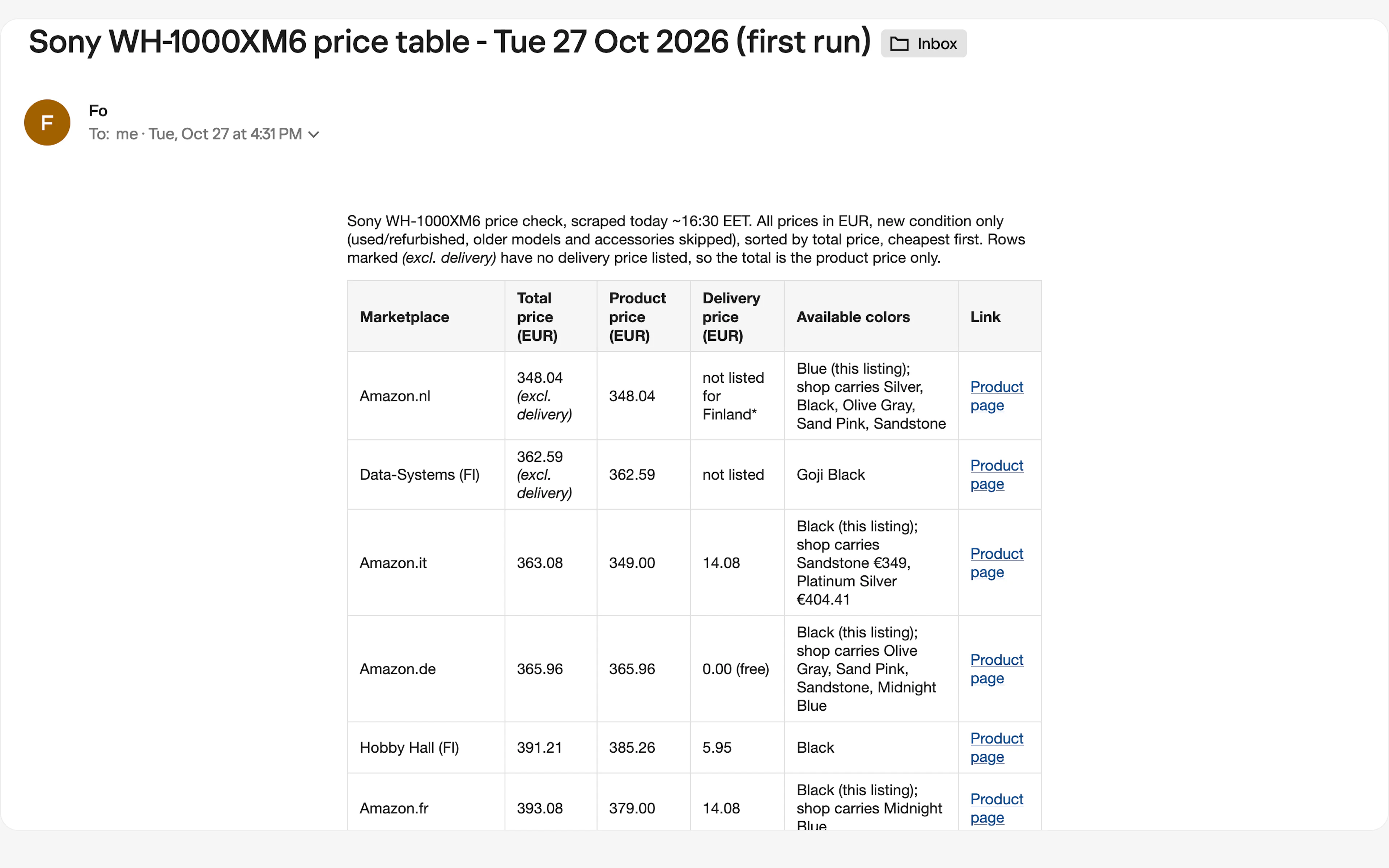
Every Monday at 9:00, check prices for the Sony WH-1000XM6 headphones and email me a table. Use only the Oxylabs Web API tools.

1. Search the web with a Finnish geolocation to find Finnish online shops that sell it, and scrape each product page.
2. Search Amazon's European domains (Germany, France, Italy, Spain, the Netherlands and Poland) with delivery set to Finland. Note any store where that can't be applied.
3. For each listing, get the price, delivery cost to Finland and available colors. Skip older models, accessories, and used or refurbished offers.
4. Use only scraped data. If a delivery cost isn't listed, write "not listed" and mark the total as excluding delivery.

Table columns: Marketplace, Total price, Product price, Delivery price, Available colors, Link. All prices in EUR, sorted by total price, cheapest first.

Run it once now.
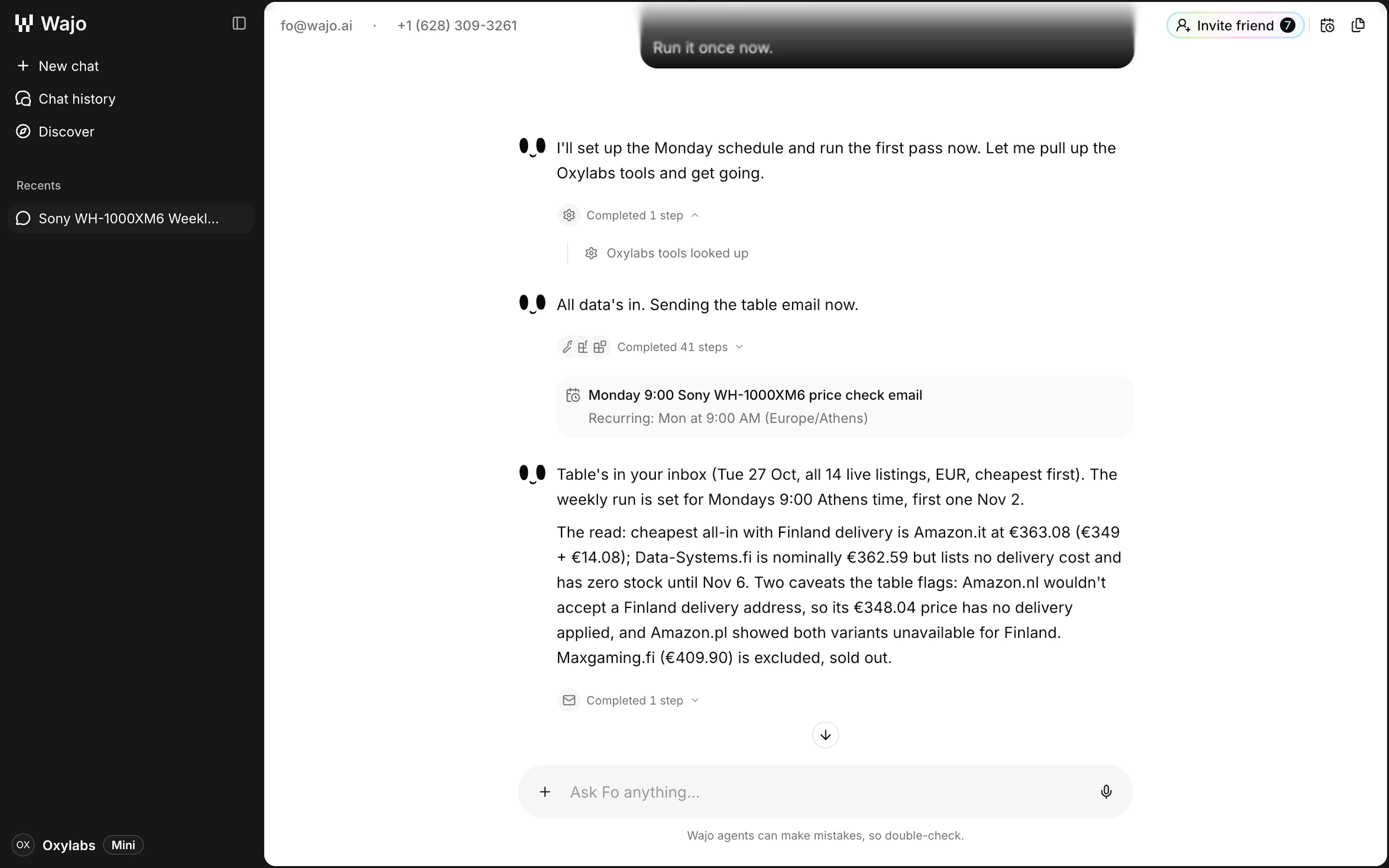
After setting up the flow, Fo returns a confirmation:
And here's the provided result email:
Wrap up
Connecting Oxylabs Web API to Wajo gives Fo straightforward access to the whole web. It can read any site, scrape data at any scale from any country, and run on whatever schedule you set, backed by infrastructure that scales cleanly from a handful of requests to millions.
If you have any questions about Oxylabs products or need assistance integrating our solutions into your workflows, feel free to reach out via live chat on our homepage or email.
Please be aware that this is a third-party tool not owned or controlled by Oxylabs. Each third-party provider is responsible for its own software and services. Consequently, Oxylabs will have no liability or responsibility to you regarding those services. Please carefully review the third party's policies and practices and/or conduct due diligence before accessing or using third-party services.
Useful resources
Start using Oxylabs Web API
Learn everything you need to know to start using Oxylabs Web API for effortless public data discovery and collection at scale.
How to Navigate AI, Legal, and Web Scraping: Asking a Professional
In this interview, we sit down with a legal professional to shed light on the ever-changing legal framework surrounding web scraping.
Web Scraping With Muse & Oxylabs Web API
Follow our quick guide on combining Meta Muse with Web API for easy agentic web scraping workflow and AI-driven analysis.

Get the latest news from data gathering world