
Custom Browser Instructions
A feature of Web Scraper API and Web Unblocker that lets you automate browser interactions to load and extract dynamic web content.
Render JavaScript and extract data from complex web pages
Configure browser instructions to automate user interactions
Customize browser behavior for successful web data collection
*Custom Browser Instructions is a feature of Web Scraper API and Web Unblocker.
JavaScript rendering
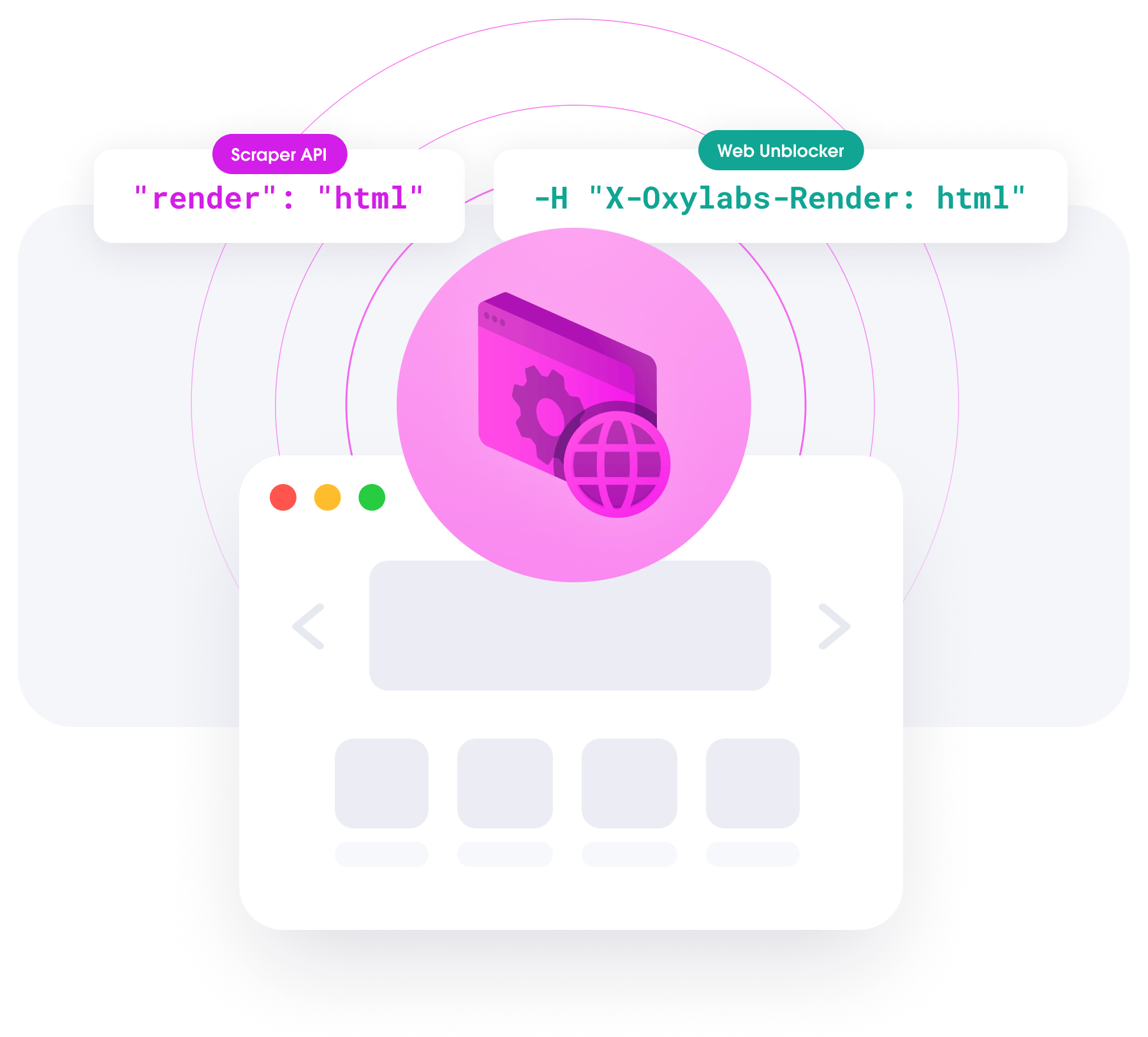
Some website content appears only when rendering JavaScript. When web scraping with Oxylabs Web Scraper API, JavaScript rendering is handled automatically on our side — no additional setup needed. This loads dynamic content onto the page with a single line of code, saving time and resources for your main task: subsequent data analysis.
Browser interactions
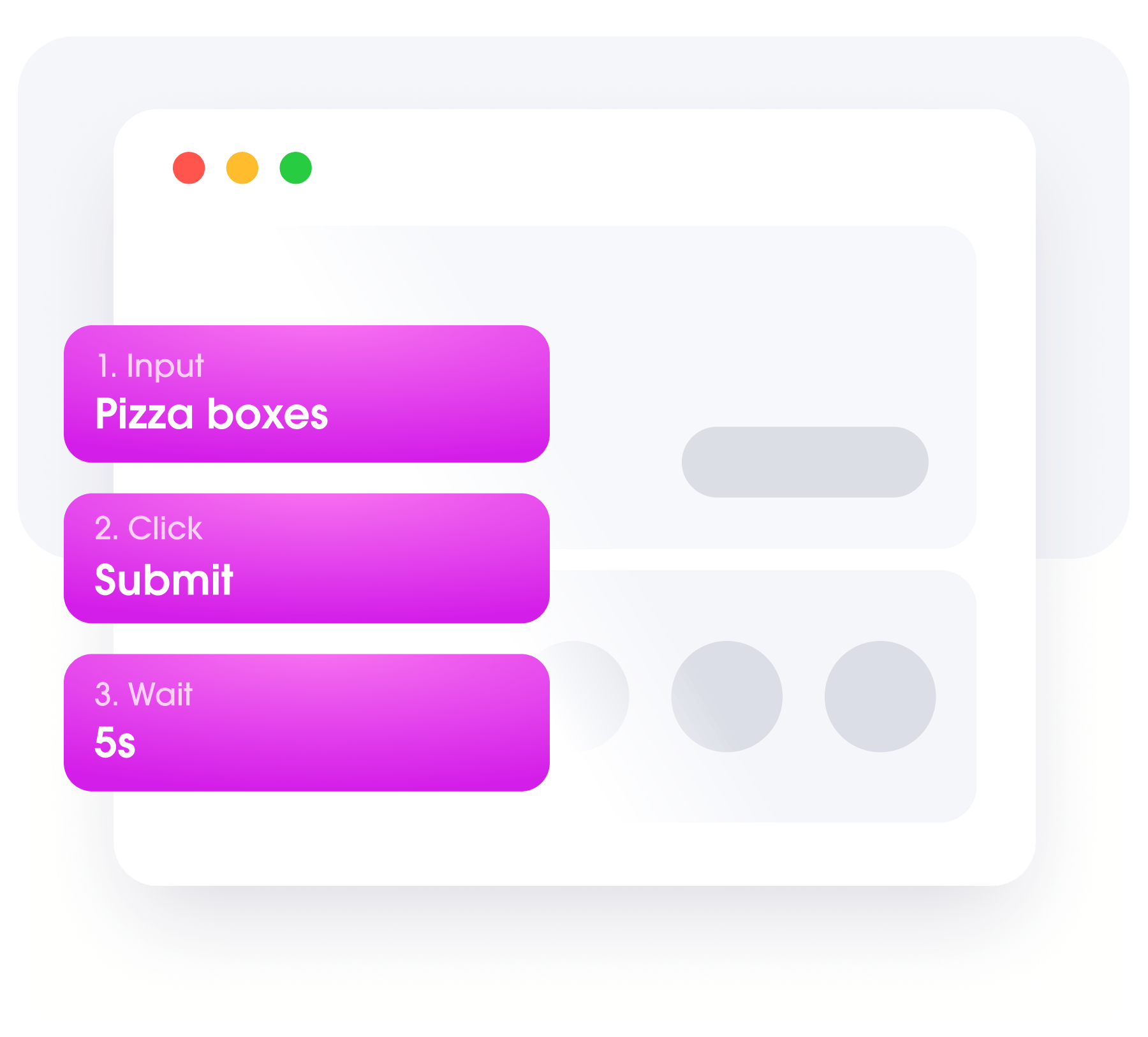
Perform action sequences to complete a specific task by setting up custom browser instructions. Define sequences of mouse clicks, text inputs, page scrolls, waits for elements to appear, and more – all executed automatically on the target page. To automate data extraction tasks, you should:
Study web page layout by inspecting HTML elements
Identify interactive elements containing target data
Define browser instructions to interact with the elements and load required data
{
   "source": "universal",
   "url": "https://www.ebay.com/",
   "render": "html",
   "browser_instructions": [
      {
         "type": "input",
         "value": "pizza boxes",
         "selector": {
            "type": "xpath",
            "value": "//input[@class='gh-tb ui-autocomplete-input']"
         }
      },
      {
         "type": "click",
         "selector": {
            "type": "xpath",
            "value": "//input[@type='submit']"
         }
      },
      {
         "type": "wait",
         "wait_time_s": 5
      }
   ]
}
Web scraping with browser automation
Automate browser behavior by setting wait times and timeout periods for dynamic elements to load before web scraping. Custom Browser Instructions let you focus on data analysis, leaving infrastructure management and web data extraction activities like Document Object Model (DOM) manipulations, JavaScript rendering, and JavaScript fingerprinting to us.
What is Custom Browser Instructions?
A feature of Oxylabs Web Scraper API and Web Unblocker, Custom Browser Instructions allow you to define website-specific interactions to load dynamic elements.
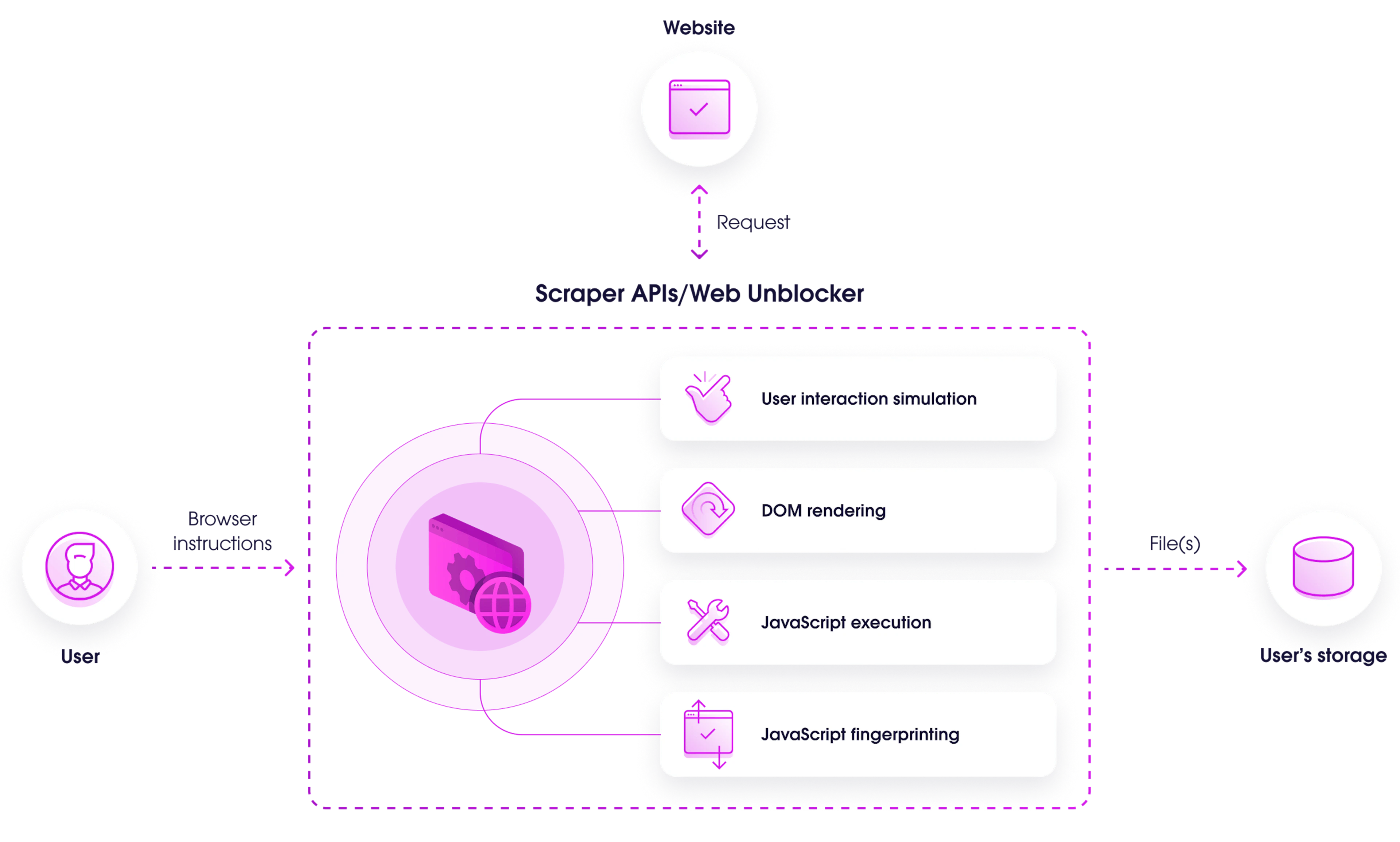
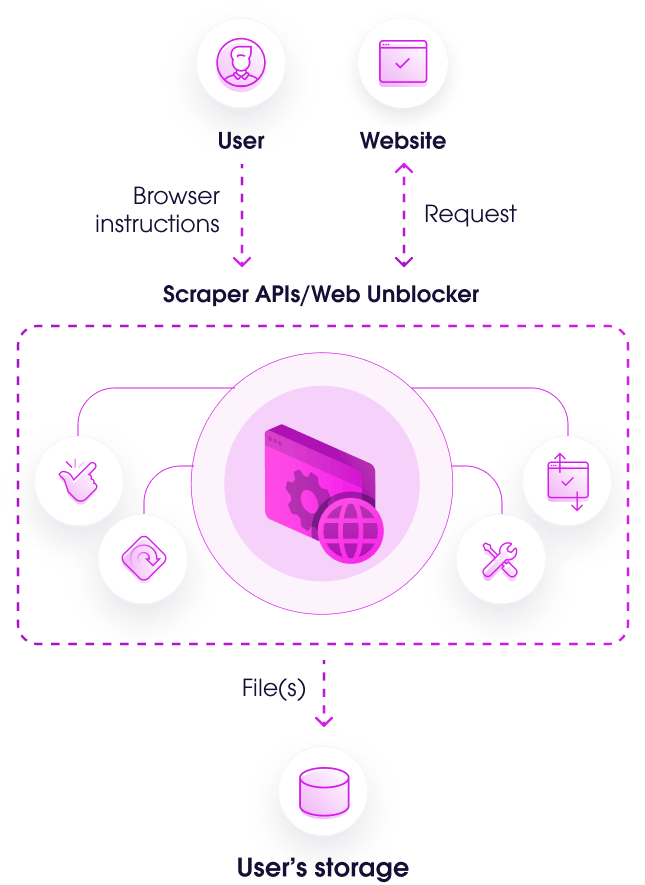
Step 1
The user submits custom browser instructions to Web Scraper API/Web Unblocker.
Step 2
Web Scraper API/Web Unblocker sends an HTTP(S) request to the target web page.
Step 3
The browser executes the custom instructions to interact with the web page and load necessary data.
Step 4
Extracted data in raw HTML or a structured JSON file is transferred to the user's storage.
Solutions featuring Custom Browser Instructions
Get a free trial of Web Scraper API and Web Unblocker, including access to Custom Browser Instructions.

Web Scraper API
Parsed real-time data from almost any website.
Customizable request parameters
Structured JSON data
JavaScript rendering
Best for:
SERP data analysis, pricing intelligence, travel fare monitoring.
From $49/month

Web Unblocker
Access public data from the most difficult sites.
Easily emulate browser behavior
Maintain stable web access
Pay only for succesfully extratced data
Best for:
AI-powered & optimized web scraping performance.
From $75/month

Vincent Patrizio
Senior Account Manager @ Oxylabs
With Custom Browser Instructions you can automate interactions to load dynamic data for extraction. This feature saves time and resources as you don’t have to develop and maintain your own headless browsing solution.

Jorūnė Skridailaitė
Senior Account Manager @ Oxylabs
Custom Browser Instructions greatly simplify the whole process of data extraction, especially when JavaScript rendering is required, allowing our clients to quickly sequence actions for site interaction.
A word from our dedicated Account Managers
With certain Enterprise plans, you get your own Dedicated Account Manager.
Useful resources
Step-by-step guides
Learn how to set up your browser instructions with our technical documentation.
Writing browser instructions
Check a tutorial on GitHub and copy the code directly to Custom Browser Instructions.
What is a headless browser?
Get familiar with headless browsers: uses, examples, and limitations.
Frequently asked questions
What are the common use cases for using Custom Browser Instructions?
The use cases focus on web automation for data extraction:
Execution of JavaScript on target websites for data extraction.
Scraping JavaScript-heavy website components without managing additional infrastructure.
Data extraction from web pages that require various interactions (loading, scrolling, typing text).
Workflow streamlining – automating wait times for elements or resources to load before concluding a scraping task.
What are the benefits of using Custom Browser Instructions?
How does Custom Browser Instructions handle JavaScript rendering?
Do I need to be a Web Scraper API or Web Unblocker client to use Custom Browser Instructions?

Get the latest news from data gathering world